
Lognote 6.5: More room on iPhone Duo, clearer sync and a lighter web app
Lognote 6.5 gives your notes more room and makes their display, sharing and loading easier to control. The iPhone Duo interface adapts to the unfolded screen, dates can stay visible without times, shared groups have clearer invitation management, and the web app loads the content you open rather than fetching your whole collection at startup.
More space on iPhone Duo
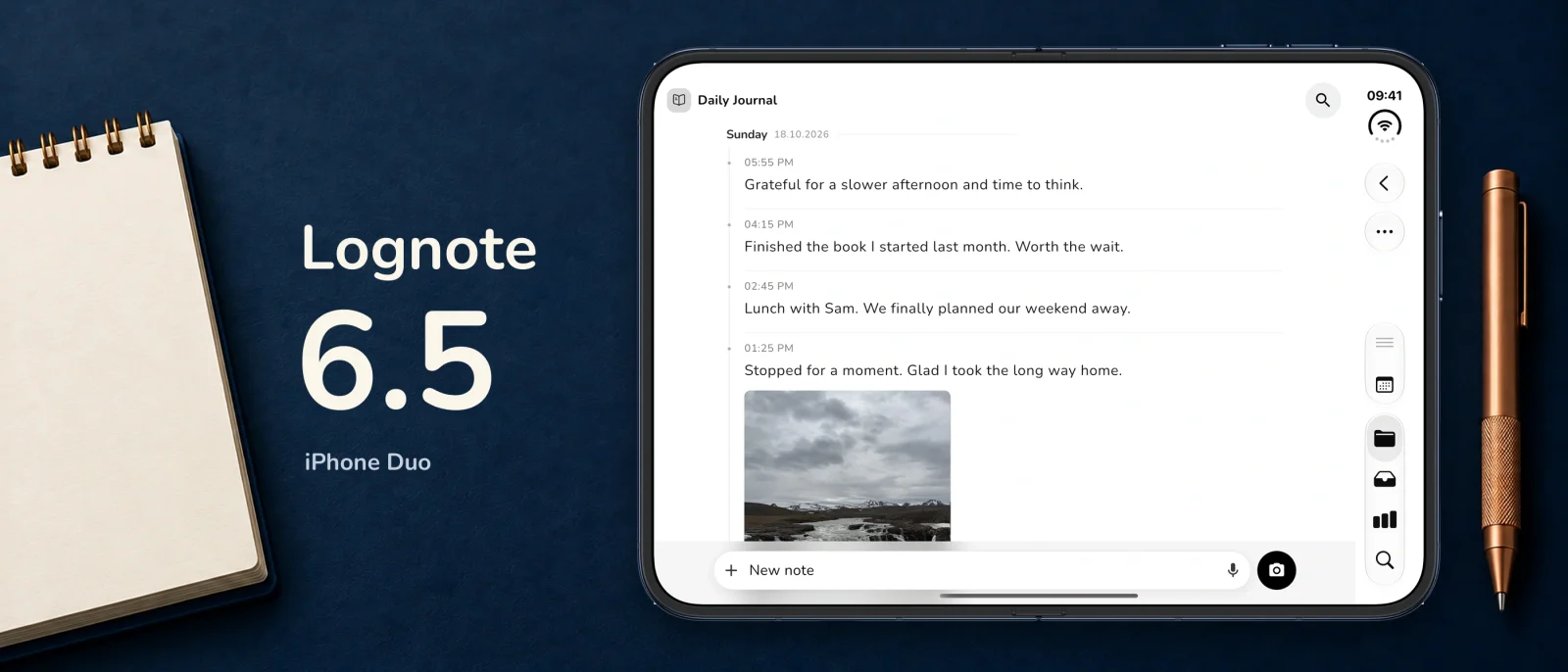
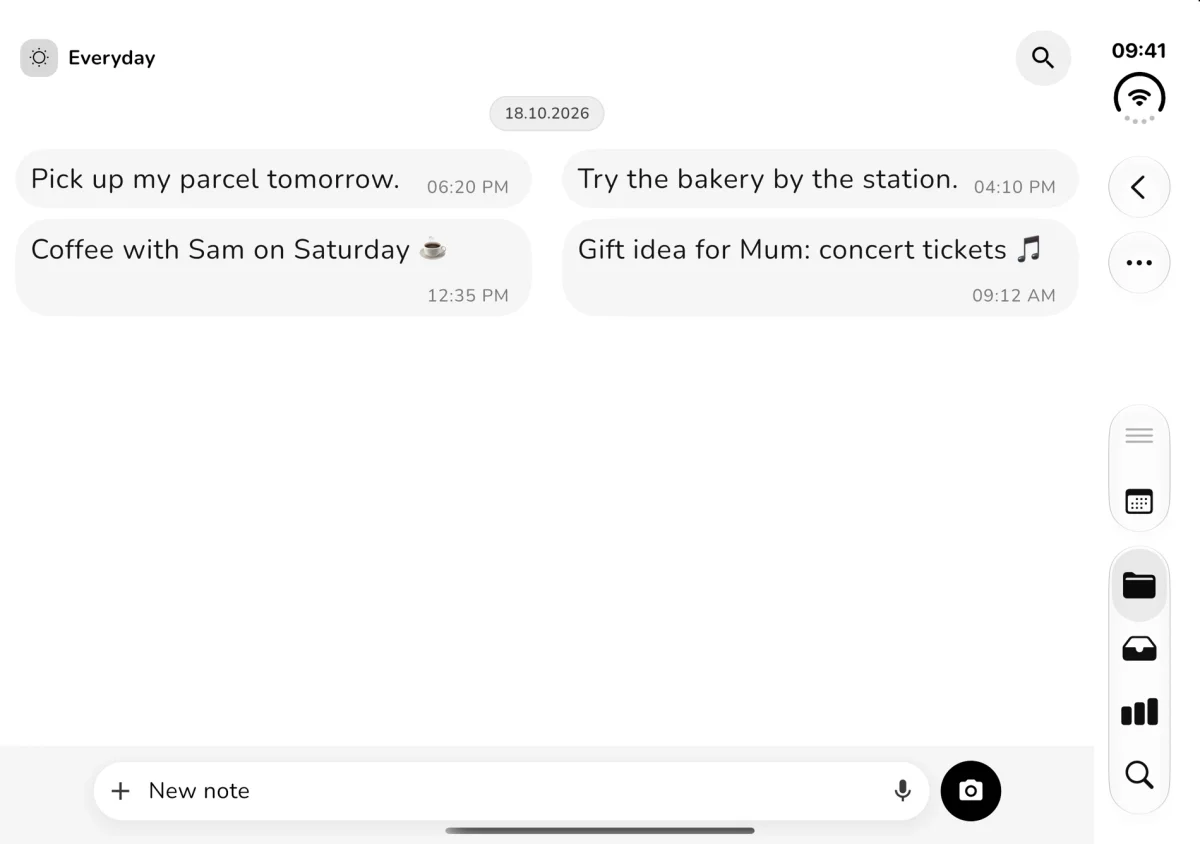
A quick thought on the move and a longer journal session need different amounts of space. On iPhone Duo, Lognote uses the available room. In suitable wide layouts, groups and notes appear side by side, so you can keep the group context in view while reading its timeline.
The interface adapts when you unfold, rotate or resize the window. Your open group, drafts and text in progress remain part of the same workflow as the layout changes. You should not need to start a thought again just because you changed how you hold the device.
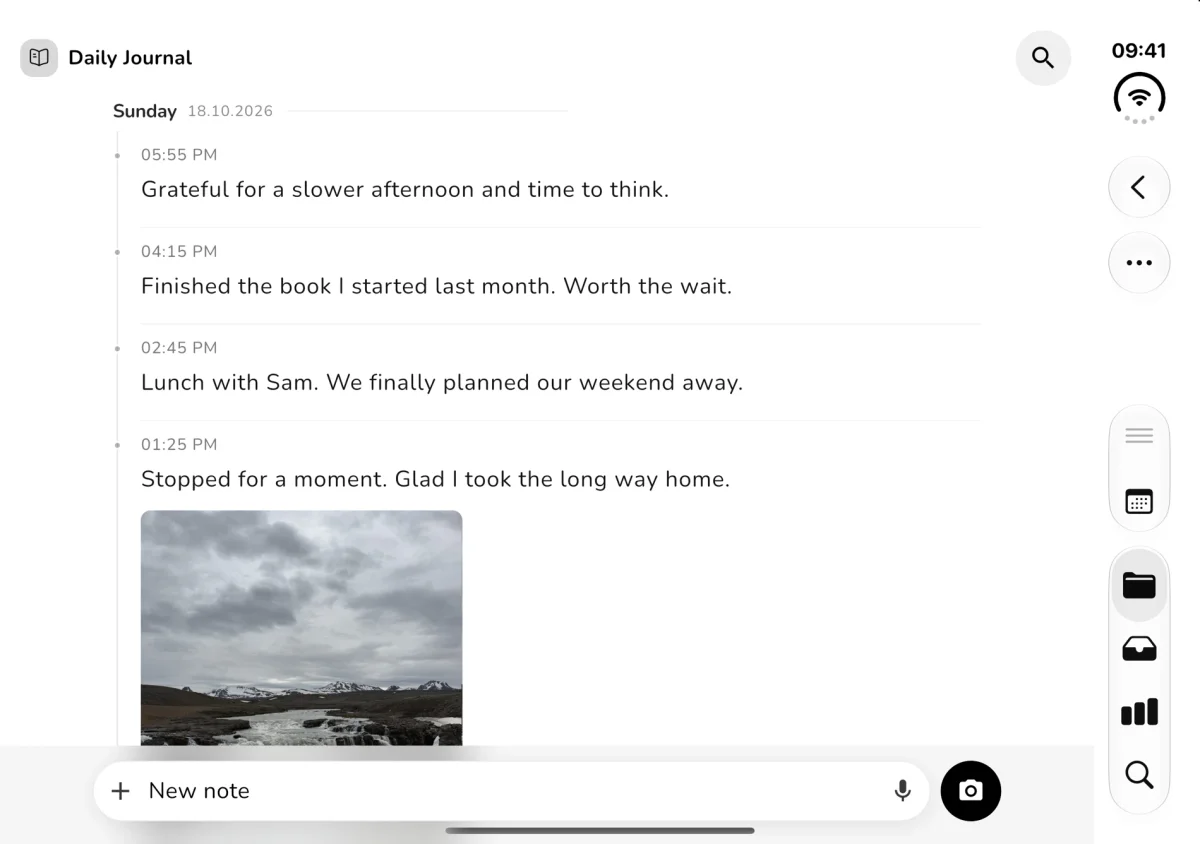
The Journal view shows why this matters. Short entries and photos remain in one chronological record, with more of that record visible on the inner display. The closed layout remains suited to quick capture.
Better spacing and more adaptable controls
The larger layout comes with smaller refinements throughout the app. Back, close and menu buttons have more suitable spacing from display edges and system areas. Settings, filters, tags and export views work better with narrow windows and larger text. Calendar controls, date pickers and the image viewer also receive layout improvements.
On iPad, navigation and larger windows have been refined too. The input bar, formatting bar and keyboard work together more smoothly on iOS. These changes support the same everyday sequence: capture something, add context and come back to read it later.
Keep the date and hide the time
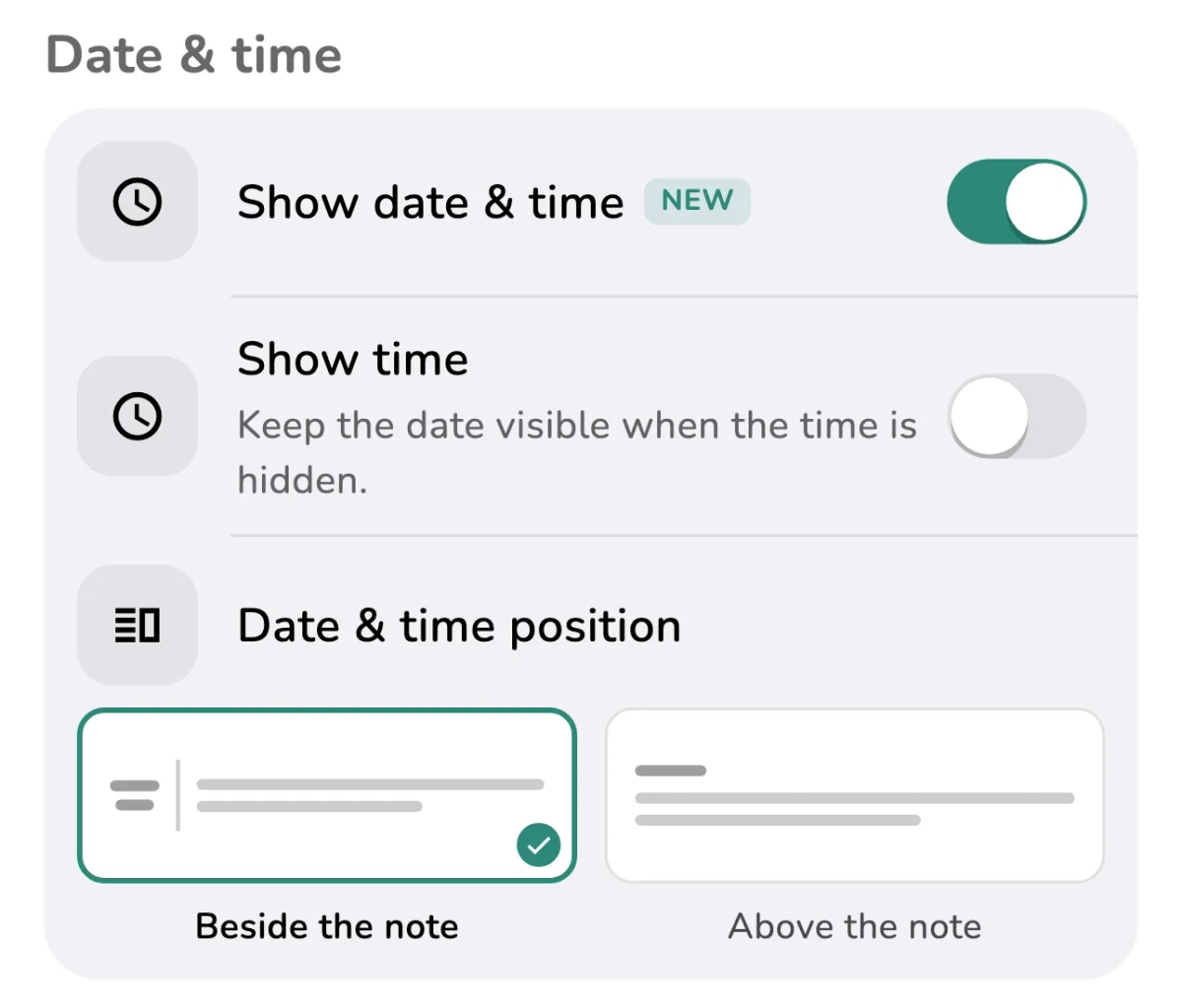
A work log often benefits from an exact time beside each entry. A diary, reading list or collection of ideas may need only the date. Lognote 6.5 lets you make that choice without hiding the date as well.
You can control time visibility globally or choose a different setting for an individual group. Your work log can keep precise times while your journal uses a quieter date-only presentation. A group override can be returned to the global setting when you want it to follow the rest of the app again.
This changes the display, not the note text or its stored timestamp. Turn times back on whenever they become useful. On Mac, date-only display is supported in List, Cards and Table views.
See which invitations are still active
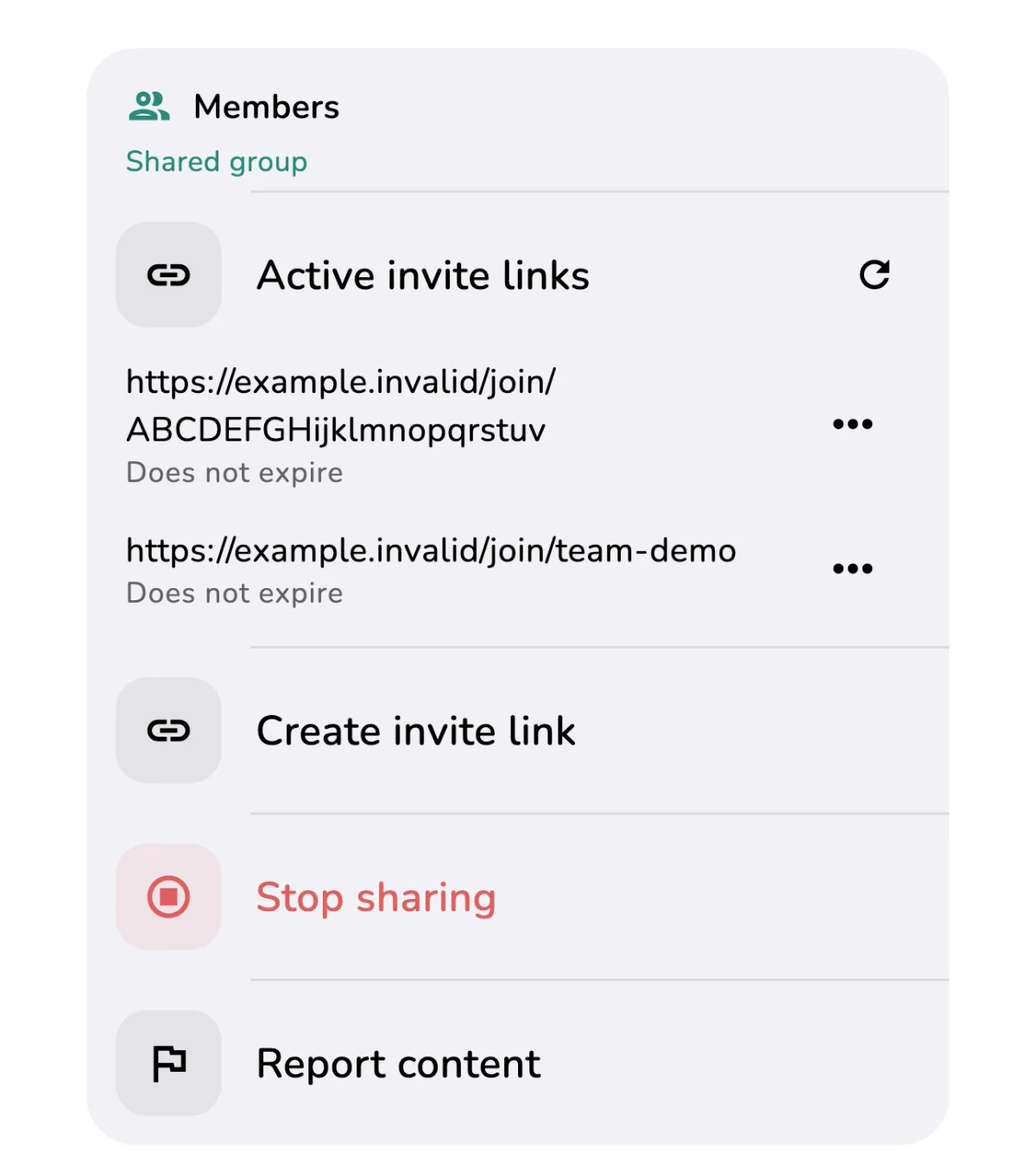
When you share a group, it helps to know which invitation links still work. The active invitations overview shows existing links and their expiry dates. You can share a valid link again or revoke a particular link without creating a new invitation each time somebody asks for it.
For a shared trip-planning group, for example, you can find the existing invitation and send it to the intended participant. If it should no longer be used, revoke that link. Treat valid invitations as access links and send them only to the people you want to join.
Creating and managing your own shared groups requires Lognote Pro. Invited members can join and contribute text for free. Each member who adds photos, files or voice memos needs their own Pro access.
Understand media that is still downloading
A note can be visible before its photo or attachment has arrived. Version 6.5 makes that situation easier to recognize. Sync status better reflects unfinished media downloads, and interrupted transfers are retried more reliably.
Leaving a shared group has also been improved. Local copies and files are kept, and unsynced changes are checked before you leave. Sharing and membership actions show when they are running and reduce repeated requests caused by tapping several times.
For a large initial sync, keep Lognote open with a stable connection and check pending work in Sync status. Cloud Sync and backups have different roles: your own backup remains an additional copy under your control.
A web app that loads what you open
Opening a group in a browser should not require downloading your entire archive first. The web app loads notes for the view you open, while images and files load separately when needed. Content already loaded stays cached for later visits.
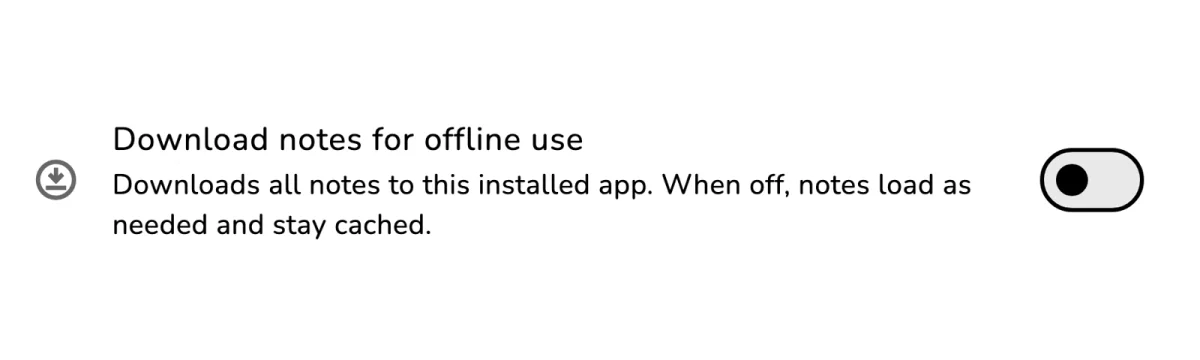
In the installed web app, you can explicitly choose to download all notes for offline use. That choice is made per account. Without it, content loads on demand. A cache containing previously viewed notes should therefore not be treated as proof that every note and attachment is available on this device.
Exports and backups prepare the data and media they need before completing. This lets everyday browsing stay lighter while an output that needs a complete set of information prepares the relevant content.
More comfortable desktop interaction
Right-click menus are available in more web views, including notes, groups, tags, attachments and Trash. Reading widths, dialog sizes and close controls fit larger screens better. Search, filter chips, hover feedback and the sidebar have also been refined.
When a new web version is available, an update notice offers an explicit refresh action. Drafts are saved before the switch. Open dialogs or other Lognote tabs can postpone the update; close those views and try again when you are ready.
On Mac, account, settings and Pro dialogs receive sizing and layout refinements, with more consistent close and back controls. Pending shared media is clearer in native note views too. Saved link previews appear more consistently, and the links overview recognizes Markdown links and URLs containing brackets more reliably.
Android changes and a useful place to start
Android changes include signing in to existing accounts with a verified email address and password, clearer explanations when email verification is required, and an explicit explanation of background location use while configuring location zones.
Start with a group where times are less important and try keeping only dates visible. If you share groups, check the active invitations overview. In the installed web app, decide whether on-demand loading or a full offline download suits your device and connection.
Read the full Lognote 6.5 changelog for individual changes and visit the Help Center for existing guides.