
Lognote 6.6 brings old photos back to your Home Screen
An old photo can bring back a whole day. With Lognote 6.6, one of those photos might turn up on your Home Screen. The update is available on the App Store for iPhone and iPad.
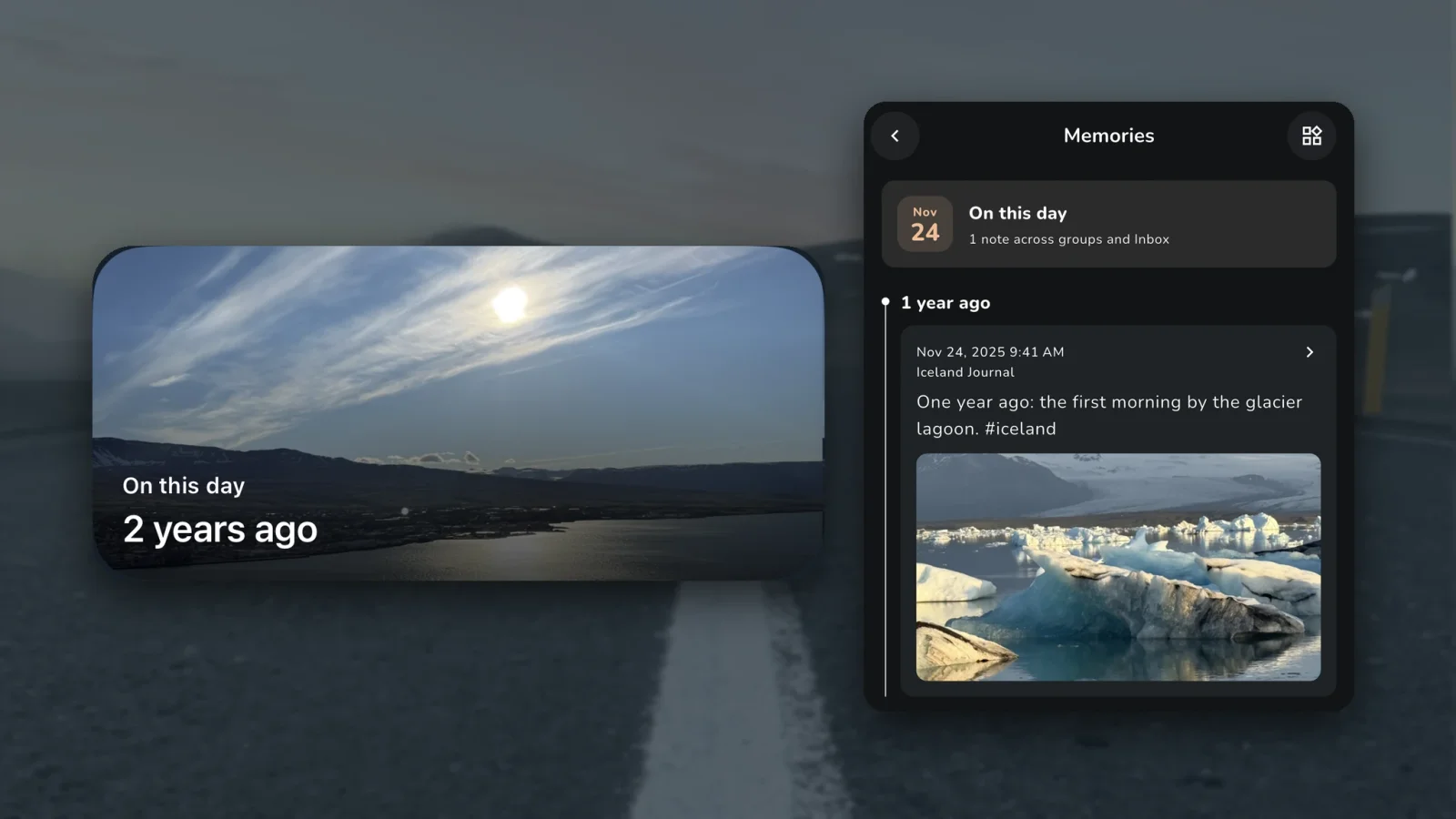
A photo from this day
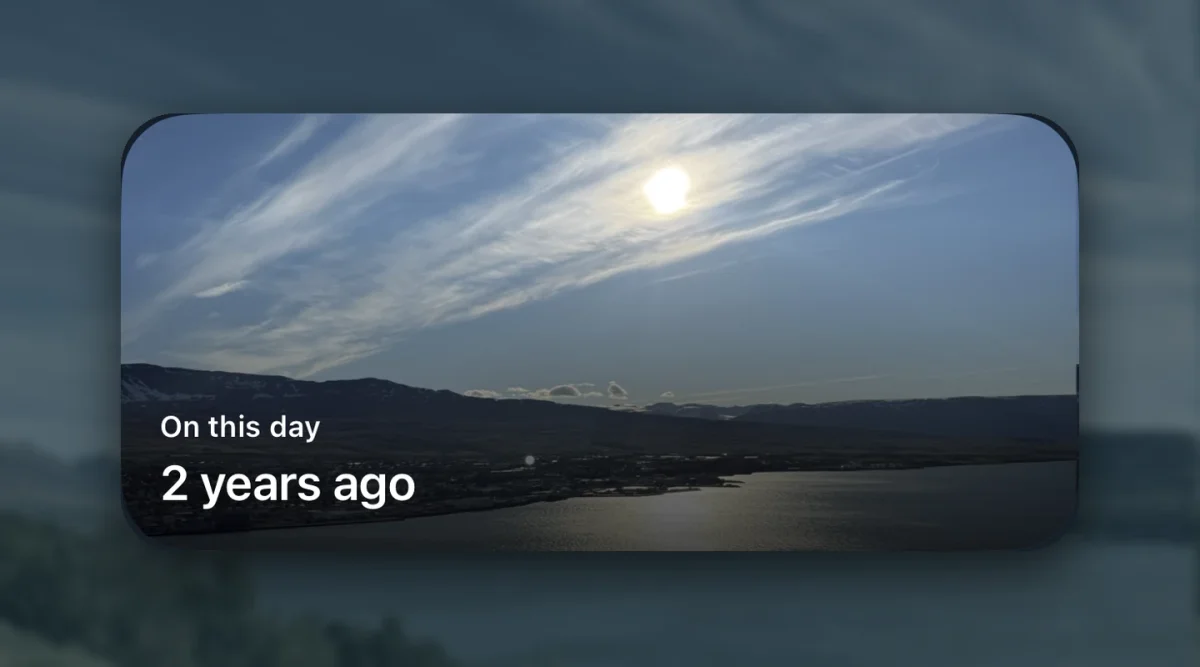
The On This Day widget shows photos from notes you wrote on the same date in earlier years. You decide which groups it can draw from. Add two widgets and one can show your travel journal while the other draws from a different group. It comes in small and medium.
A fresh look for Memories
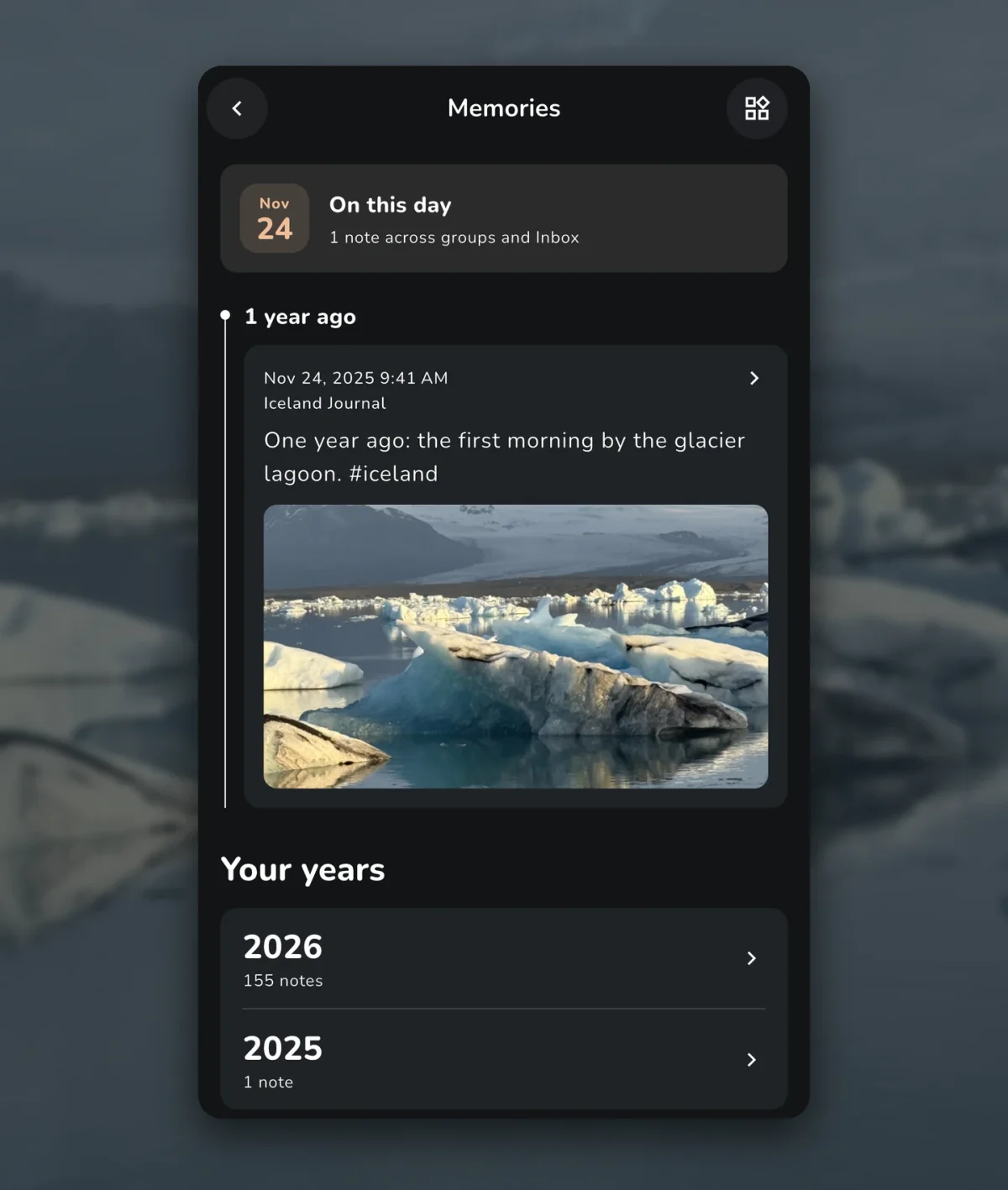
Memories has a new layout that puts notes from this day first. Below that, you can browse your notes by year. You can also filter by year in Search or from a group’s menu.
Read your voice memos
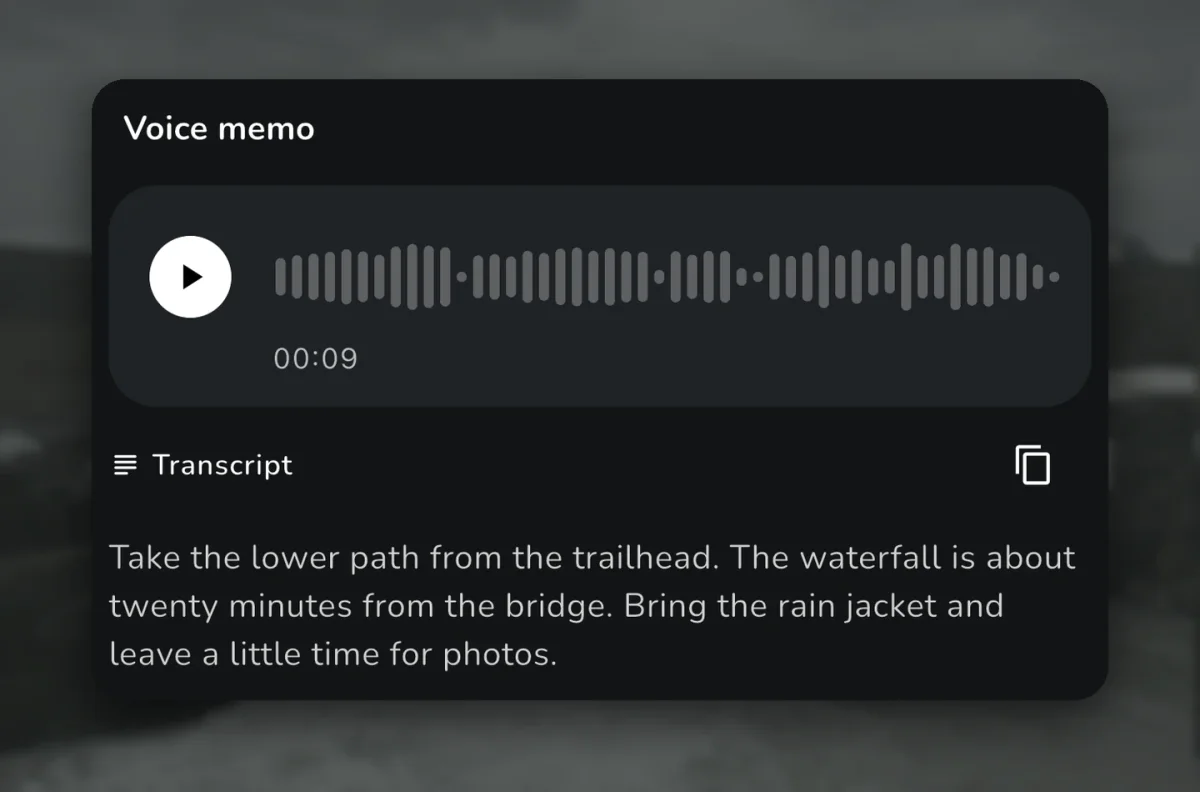
Open or copy a transcript directly below the recording. If you use transcripts often, turn on Always Show Transcripts in Settings → Display. When you save text and a recording together, they show up in the same note right away.
Give a few words some color
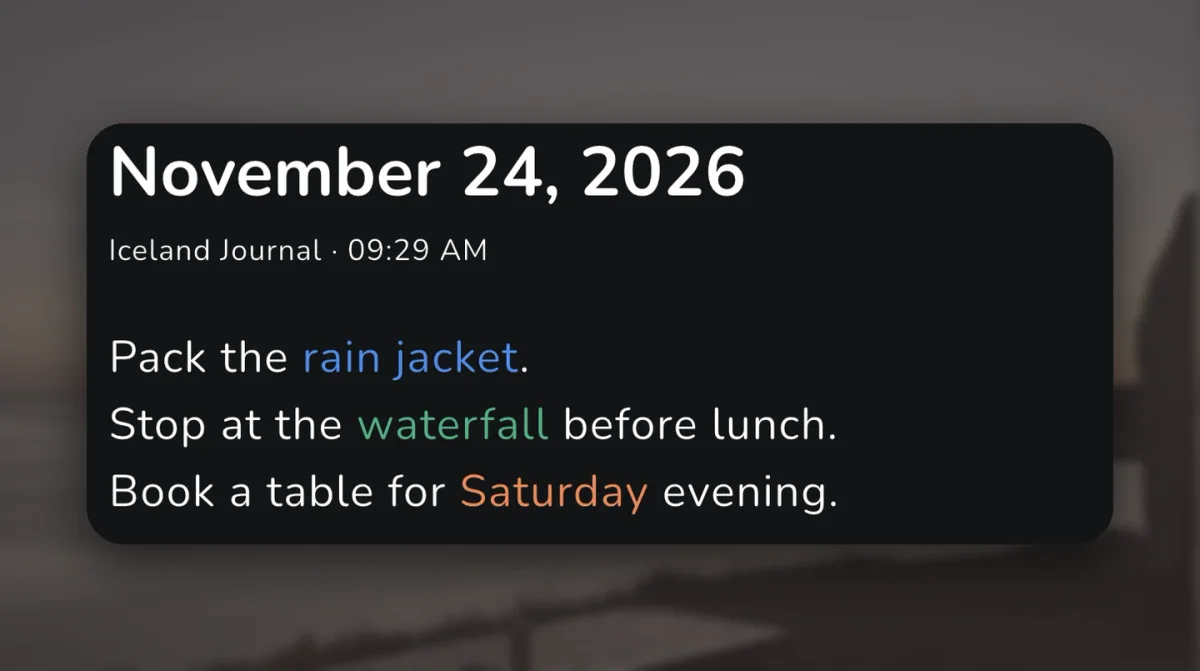
Choose a color in the editor and tap the words you want to highlight. Use it for names, open questions, or the one line you want to find again later.
A few fixes
Tapping a keyboard suggestion replaces the word you started typing again. The Inbox Today filter switches to the new day after midnight, and the export date picker stays readable at larger text sizes.